
Hewlett Packard
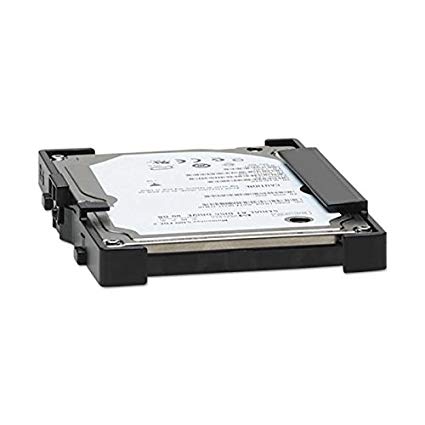
HP CD644-67913 (CF116-67907/ CF116-67915) CLJ M525/M575/M577/M712/M725 320GB Hard Drive
HP CD644-67913 (CF116-67907/ CF116-67915) CLJ M525/M575/M577/M712/M725 320GB Hard Drive
SKU:CF116-67907-R
HP CD644-67913 (CF116-67907/ CF116-67915) CLJ M525/M575/M577/M712/M725 320GB Hard Drive
Fits these models: HP LaserJet Enterprise MFP M525
Couldn't load pickup availability
Questions & Answers
Have a Question?
-
How do I install a refurbished hard drive on an HP M577?
Hi Toby,
Great questions...PREPARATIONS FOR INSTALLING A REFURBISHED HDD DISPLAYING A 99.09.xx ERROR CODE
After powering on, the printer will likely display a 99.09.XX error.
Access the Pre-Boot Menu:
Navigate the control panel to Administrator > Manage Disk > Boot Device > Erase / Unlock.
Unlock the Disk:
Select Erase / Unlock and press OK.
Load Firmware:
Go to the pre-boot menu again and select Administrator > Download > USB Thumb Drive.
Install Firmware:
Select the appropriate firmware file from the USB drive and press OK to download it.
Boot Normally:
Once the download is complete, remove the USB drive, press the home icon, and select continue to allow the printer to boot normally.
Share
Subscribe to our emails
Be the first to know about new collections and exclusive offers.